Learn how to run DLive without a control surface using Director or MixPad for complete control and freedom in your workflow.
You can run DLive without a control surface by using the MixRack as the processing core and controlling it through DLive Director software or MixPad. The MixRack performs all audio processing, while your laptop or tablet acts as a virtual mixing console.
The first time you run a DLive system without a control surface, it feels strange. The room is quiet except for the gentle hum of the MixRack. There are no faders, no tactile reassurance, just a laptop glowing in the dark.
It’s like piloting an aircraft from a remote cockpit… part exhilarating, part unnerving.
The question lingers: can I really run DLive without a surface?
The answer is yes… and not just in a limited way. Once you understand how the DLive system works, you can mix confidently and creatively without needing the bulky console at all.
What You'll Discover:
Understanding the DLive Architecture
Before going surface-free, you need to understand how DLive systems are structured.
Most assume that the control surface is the main brain of the setup, but in reality, the MixRack is the true heart of the system. It’s where all processing happens… EQ, compression, routing, FX, and scene management.
The surface, such as the S5000 or C3500, is essentially a remote control. It sends commands to the MixRack but doesn’t process any audio itself.
So when you remove the surface, you don’t lose any functionality. The MixRack keeps doing the work; you just need another way to talk to it.
The Key to Going Surface-Free: DLive Director
To replace the hardware surface, you’ll use DLive Director, Allen & Heath’s free control software. Director replicates the surface experience almost perfectly. It gives you full access to every channel, fader, bus, and effect… all through your computer screen.
Here’s how to set it up:
- Install DLive Director on your laptop or PC.
- Connect your computer to the MixRack using an Ethernet cable or router.
- Assign both devices IP addresses in the same subnet range.
- Launch Director and select “MixRack Only” mode.
- Connect to your MixRack and begin mixing.
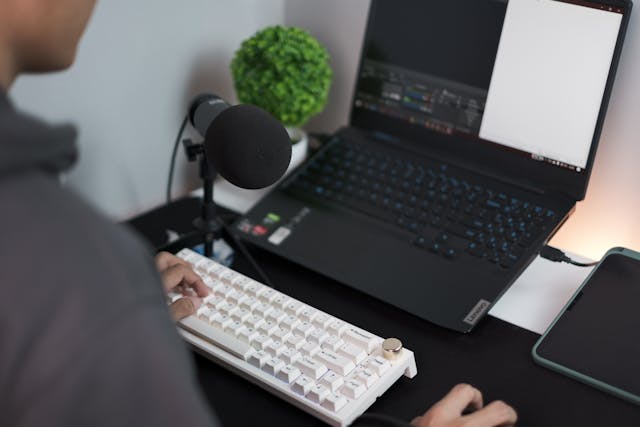
Within moments, your laptop becomes the entire console. You can mix, route, and process audio just as you would with the physical surface, but now everything is portable and lightweight.
Step-by-Step: Running DLive Without a Control Surface
Here’s a practical, step-by-step guide for running DLive entirely through software.
Step 1: Network Setup
Connect your MixRack and laptop directly using Ethernet or a network switch. Set both IPs manually to ensure stable communication.
Step 2: Launch DLive Director
Open Director, select “MixRack Only,” and connect. If the firmware versions don’t match, update either the MixRack or the software so they align.
Step 3: Build or Load a Show File
You can either start from scratch or import an existing show file. The interface mirrors the surface, so it feels familiar to anyone who’s mixed on DLive hardware.
Step 4: Verify Audio Flow
Connect your stage inputs and outputs as usual. Use the metering tools inside Director to confirm signal flow and test audio output.
Step 5: Save and Backup
Save your configuration locally and to a USB drive. Always keep backups of show files, especially for live events.
After completing these steps, your DLive is fully functional without a control surface. Every adjustment, from gain to effects routing, is handled directly from your computer.
Other Control Methods That Work Without a Surface
While DLive Director is the primary solution, you can also use other tools for remote or supplementary control.
1. MixPad App
The MixPad app lets you control DLive wirelessly from a tablet. It’s great for walking the venue during soundchecks or adjusting monitor mixes on stage. While it doesn’t replace Director entirely, it’s excellent for mobility.
2. MIDI and TCP/IP Protocols
DLive supports both MIDI and TCP/IP commands, allowing you to integrate with automation systems or third-party apps. For example, you can trigger mutes, cues, or scenes using external software.
3. Custom Control Interfaces
Some engineers build their own lightweight control panels using DLive’s open protocol. These browser-based or tablet interfaces allow simplified access to common functions like volume, mute, or EQ adjustments.
These methods give you flexibility to design a setup that fits your workflow, from compact touring rigs to permanent installations.
Comparison Table: Control Options for DLive
| Method | Hardware Required | Ideal Use | Advantages | Limitations |
| Full Surface + MixRack | Surface + Rack | Touring and large venues | Tactile feel, redundancy | Expensive, heavy |
| DLive Director | Laptop | Broadcast, portable setups | Full access, lightweight | No physical faders |
| MixPad App | Tablet | On-stage, small events | Wireless, mobile | Limited depth of control |
| MIDI / TCP-IP | Controller or PC | Automation and integration | Customizable | Complex setup |
Why Run DLive Without a Control Surface
Some engineers ask, “Why remove the surface at all?” The answer depends on the situation, but the benefits are often practical and significant.
1. Portability
A full DLive surface is large and heavy. A MixRack and laptop can fit in a backpack or small rack case, making it ideal for small tours or mobile setups.
2. Cost Efficiency
Going surface-free cuts down on hardware costs without sacrificing performance. You still get the same high-quality XCVI processing engine inside the MixRack.
3. Remote Operation
In broadcast environments or permanent installations, the MixRack may live in one room while you control it from another. With DLive Director, you can operate over LAN or VPN without needing a console nearby.
4. Redundancy
If your surface ever fails, having a laptop with Director ready ensures the show continues seamlessly. It’s an essential backup option for professionals.
5. Education and Pre-Production
Director’s offline mode lets you design shows, teach students, or experiment with routing before connecting to a physical system.
Mixing Without Touch: A New Way of Listening
Running DLive without a surface is more than a technical exercise… it’s a shift in how you interact with sound.
Without faders, you rely more on your ears than your hands. You start making decisions based on what you feel, not what you see. The process becomes less mechanical and more musical.
At first, it feels foreign, even limiting. But once you adapt, you’ll realize that the freedom of mixing anywhere, anytime, outweighs the lack of physical control. It’s an evolution in how engineers engage with technology… from hardware to instinct.
Common Issues and How to Avoid Them
Even though this setup is reliable, there are a few pitfalls to watch for.
Firmware Mismatch
Always ensure your MixRack and DLive Director versions match. Even minor differences can cause connectivity problems or missing features.
Network Problems
Avoid weak Wi-Fi or shared networks. Use shielded Ethernet cables and dedicated routers to keep connections stable.
Computer Performance
Director runs best on modern hardware. Laptops with slow processors or integrated graphics may struggle to handle real-time visuals.
Wireless Limitations
MixPad is convenient, but wireless signals can drop in crowded venues. Always have a wired backup ready in case of interference.
Missing Tactile Feedback
Without physical faders, some engineers feel disconnected. Using a MIDI controller or custom touchscreen layout can help restore that tactile experience.
Professional Tips for Smooth Operation
- Use DLive Director on a laptop and MixPad on a tablet simultaneously for maximum flexibility.
- Color-code your channels and groups for faster navigation in Director.
- Keep multiple saved versions of your show files for different venues or bands.
- Assign quick-access keyboard shortcuts or programmable mouse buttons for common functions.
- Practice your workflow in offline mode so you’re confident during live operation.
- Always bring a spare Ethernet cable and a power backup when mixing on location.
These habits help you work efficiently and reduce stress during live events.
Frequently Asked Questions
Can I use DLive without a control surface at all?
Yes. The MixRack handles all processing internally. You only need Director or MixPad for control.
What’s the minimum setup I need?
A MixRack, a laptop or tablet, and a stable network connection.
Can I use multiple devices simultaneously?
Yes. You can run multiple instances of Director or MixPad at the same time for collaborative mixing.
Does this affect audio latency?
No. Control data runs separately from audio, so latency remains unaffected.
Can I prepare mixes offline?
Yes. DLive Director allows offline editing and show creation without being connected to hardware.
Surface vs. Software Control: A Quick Comparison
| Aspect | Control Surface | DLive Director |
| Tactile Feel | Physical faders | Virtual interface |
| Portability | Bulky | Lightweight |
| Cost | High | Free |
| Learning Curve | Short for trained users | Moderate |
| Visual Access | Dedicated displays | Computer screen |
| Ideal Scenario | Touring setups | Portable or remote mixing |
The Use Cases
Freelance Engineers:
They travel light by carrying only a MixRack and a laptop. The compact setup lets them manage professional-grade shows without bulky hardware.
Broadcast and Streaming:
Engineers mix live sound from remote control rooms using Director. The MixRack stays near the stage while the operator controls everything over the network.
Houses of Worship and Theaters:
Permanent installations often run DLive entirely via Director or MixPad to save space and cost while maintaining high-quality sound control.
Backup Operation:
In large events, Director acts as a secondary control source. If the main surface fails, the engineer switches instantly to the laptop.
The Future of Mixing: Fewer Faders, More Freedom
Running DLive without a control surface isn’t just a workaround; it’s a glimpse into the future of audio engineering.
It’s about flexibility, adaptability, and trust in your ears.
It’s about breaking the old dependency on hardware and embracing intelligent, mobile control.
As systems grow more networked and modular, engineers are learning that great mixes don’t depend on physical consoles… they depend on creativity, confidence, and an open mind.
Key Takings
- The MixRack is the core of the DLive system and can operate independently.
- DLive Director replicates every surface function for complete virtual control.
- The system can run entirely without a control surface using a laptop or tablet.
- MixPad, MIDI, and TCP/IP provide additional remote options.
- Surface-free setups are ideal for portability, budget constraints, and remote mixing.
- Always match firmware versions and maintain reliable network connections.
- Mixing without faders encourages deeper listening and creativity.